
How to read your prescription
Those abbreviations look confusing at first — but they map cleanly onto our order form. Here are two real examples, side by side.
Good to know. Your prescription should be current — most opticians consider it valid for 1–2 years. Prefer not to type it out? You can upload a photo of it at the prescription step instead.
Example 1: Standard Single Vision Lenses
Prescription
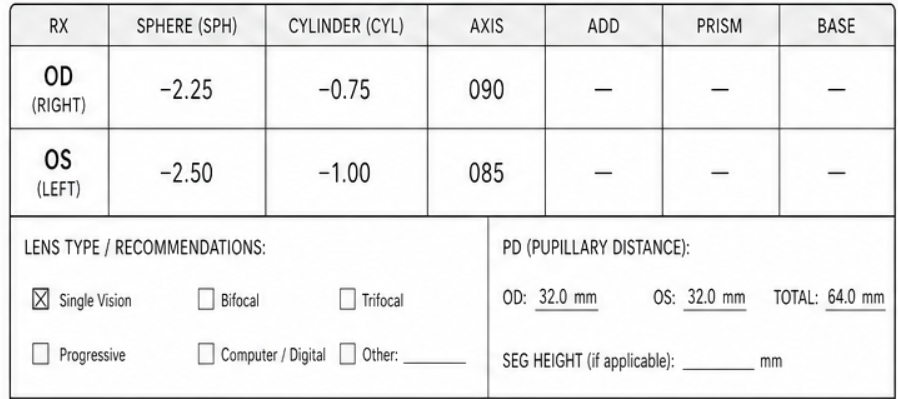
Right Eye (OD): SPH -2.25|CYL -0.75|AXIS 090
Left Eye (OS): SPH -2.50|CYL -1.00|AXIS 085
Pupillary Distance (PD): 64.0 mm (Total)
Online Entry
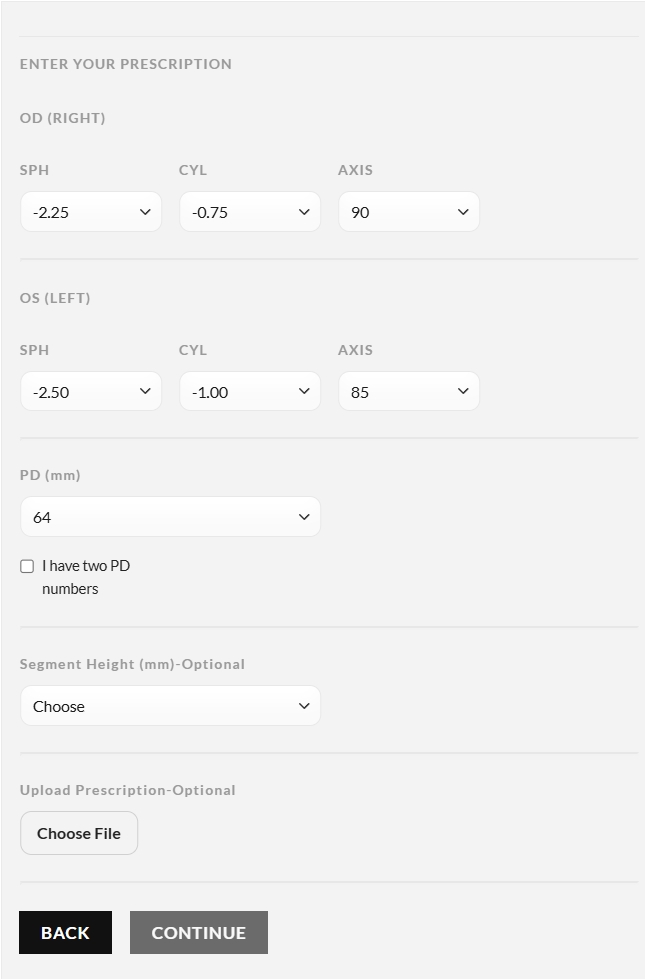
Select the SPH, CYL, and AXIS from the dropdowns for both OD and OS.
Pick 64 from the PD (mm) dropdown.
Important: Leave the ADD field empty. Do not check Progressive.
Example 2: Progressive Lenses (Reading)
Prescription
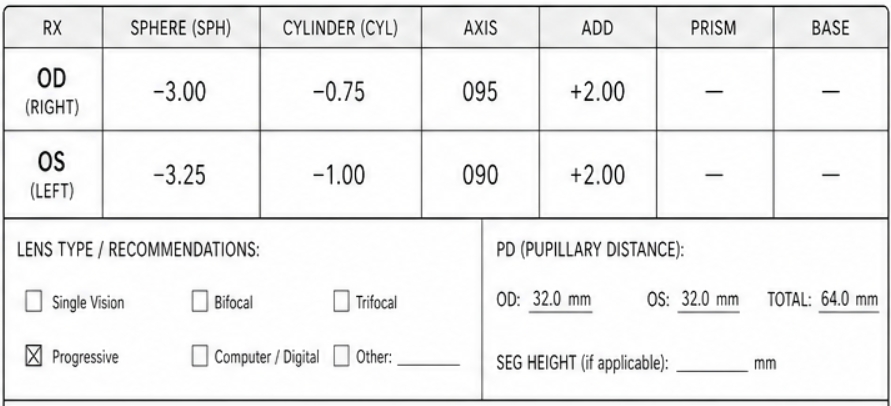
Right Eye (OD): SPH -3.00 | CYL -0.75 | AXIS 095 | ADD +2.00
Left Eye (OS): SPH -3.25 | CYL -1.00 | AXIS 090 | ADD +2.00
Lens Type: Checked as Progressive
Pupillary Distance (PD): 64.0 mm
Online Entry
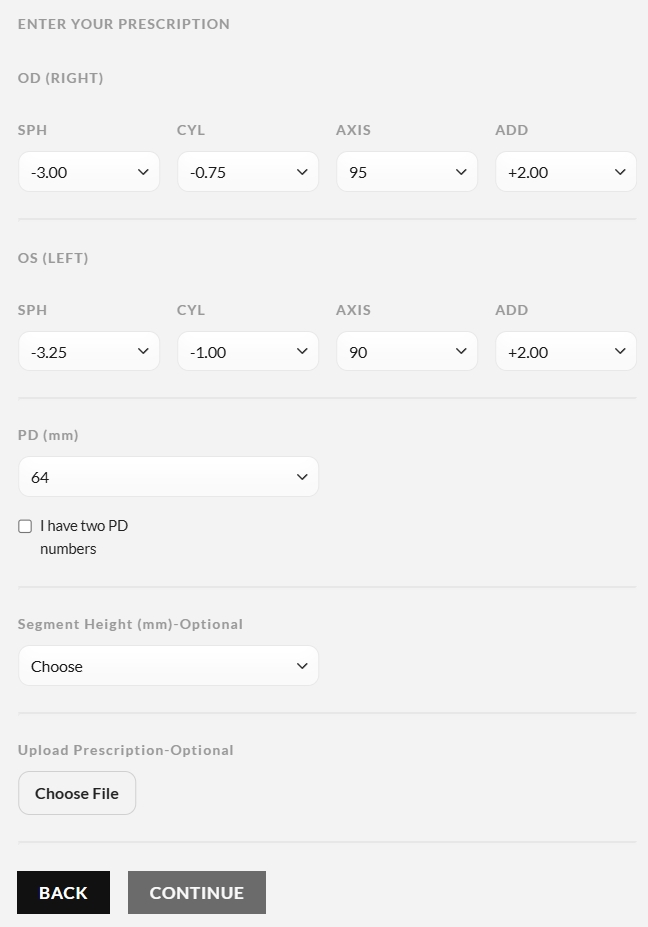
Input the SPH, CYL, AXIS, and ADD +2.00.
Choose 64 for PD (mm).
Crucial Step: Check the Progressive box at the bottom.
Important Tips for First-Time Ordering
- What if my prescription lists two PDs? Your form has a checkbox “I have two PD numbers”. If the paper says OD: 32.0 mm and OS: 32.0 mm, DO NOT tick the checkbox. Just select the Total PD (64) in the dropdown.
- What about the Segment Height? We’ve included an “Optional” dropdown for it. If your optometrist didn’t write down a Segment Height, simply leave it as “Choose”. The lab will automatically use the standard height for your selected frame.